jenkins
jenkins 구성
Categories:

  graph TB
  B <-- ssh --> A9
  A9[github] -- git --> A1
  B -- build --> A1[projects]
  subgraph gvp6nx1a
  A1 ---> F1[post_build.sh]
  B ---> F2[pre_build.sh]
  F2 --- G1[security-properties]
  G1 ---> A1
  F1 --> G2[app-reload]
  B[jenkins] <-- proxy --> C[nginx]
  end
  A9 -- https/api --> C
  C <-- https --> D[client]
  G2 -- https/api --> D1[telegram]
  F2 -- https/api --> D1
container 구성
docker-compose.yml
- 이미지 크기: latest-jdk17 279.13 MB, alpine-jdk17 193.04 MB
- alpine-jdk17 x86 전용. arm 사용 불가
vi /opt/jenkins/docker-compose.yml
services:
  jenkins:
    image: jenkins/jenkins:jdk17
    container_name: jenkins
    networks:
      - dev
    ports:
      - 8080/tcp
    user: 1000:1000
    environment:
      - JAVA_OPTS=-Xmx1g
      - TZ=Asia/Seoul
    volumes:
      - /home/dev/.local/bin/utils.sh:/var/jenkins_home/config/utils.sh:ro
      - /opt/jenkins/data:/var/jenkins_home:rw
    restart: unless-stopped
networks:
  dev:
    external: true
초기 암호
docker exec -it jenkins cat /var/jenkins_home/secrets/initialAdminPassword
3*******************************
github ssh
docker cp /home/dev/.ssh/dntco43u@github.pub jenkins:/var/jenkins_home/.ssh/id_ed25519.pub && \
docker cp /home/dev/.ssh/dntco43u@github.pem jenkins:/var/jenkins_home/.ssh/id_ed25519 && \
docker exec -it jenkins ssh -T git@github.com
Hi dntco43u! You've successfully authenticated, but GitHub does not provide shell access.
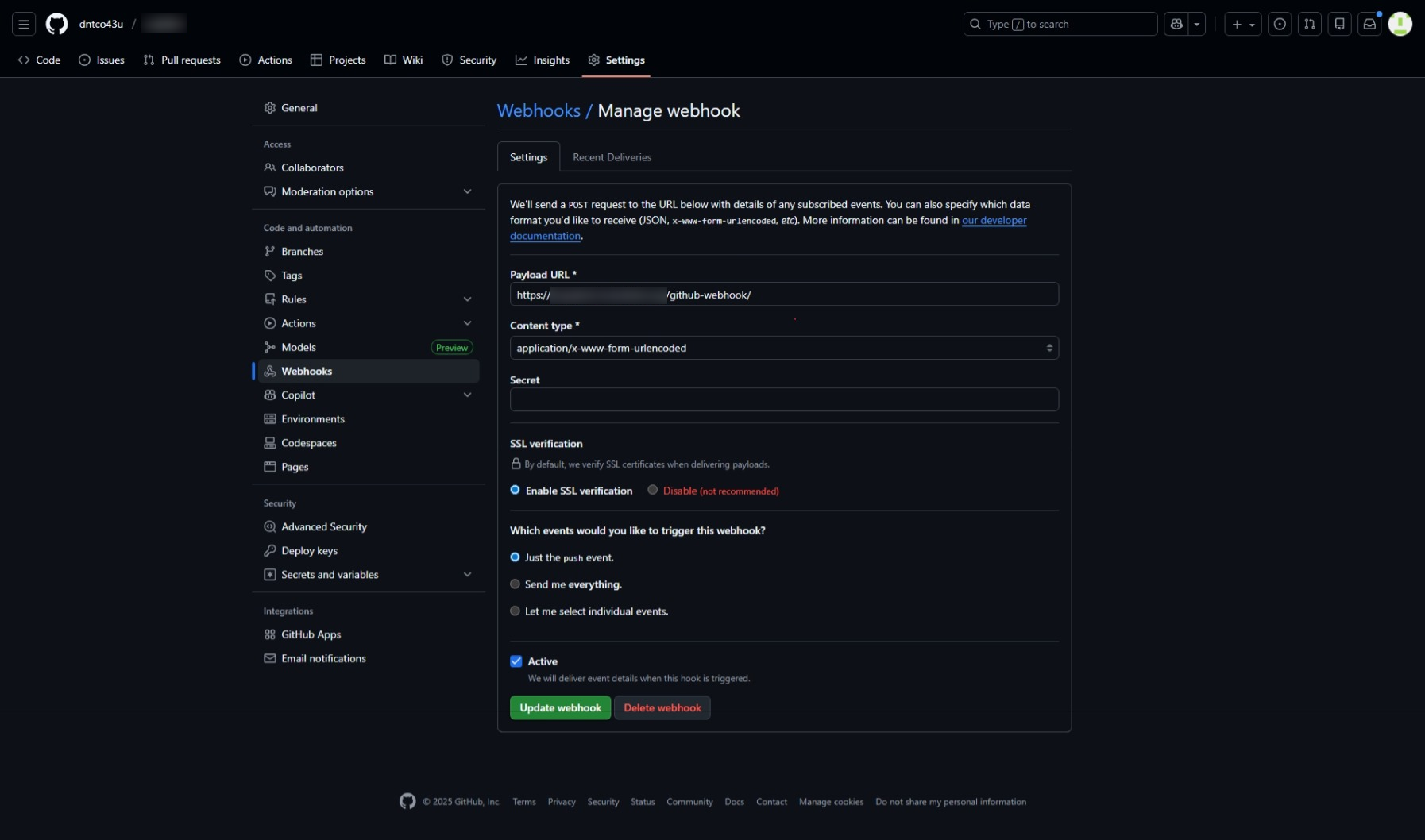
github webooks
pre_build.sh
- 빌드 전처리
- 각 프로젝트 보안 환경 구성
/opt/jenkins/data/config/$PROJECT_NAME/application-security.properties
vi /opt/jenkins/data/config/pre_build.sh
#!/bin/bash
# 자동 build 전 처리

source /var/jenkins_home/config/utils.sh
log_file=/tmp/$(basename "$0" | sed 's/.sh//').log
msg_file=/tmp/$(basename "$0" | sed 's/.sh//').tmp

jenkins_bot_key="$3"
tel_chat_id="$4"
{ echo "$1 #$2"
  mkdir -p "/var/jenkins_home/workspace/$1/src/main/resources"
  cp -f \
    "/var/jenkins_home/config/$1/application-security.properties" \
    "/var/jenkins_home/workspace/$1/src/main/resources"
  show_file_stat "/var/jenkins_home/workspace/$1/src/main/resources/application-security.properties"
} > "$log_file"
cp "$log_file" "$msg_file"
send_tel_msg "$jenkins_bot_key" "$tel_chat_id" "$msg_file"
rm "$msg_file"
post_build.sh
- 빌드 후처리
- 각 프로젝트에 첨부
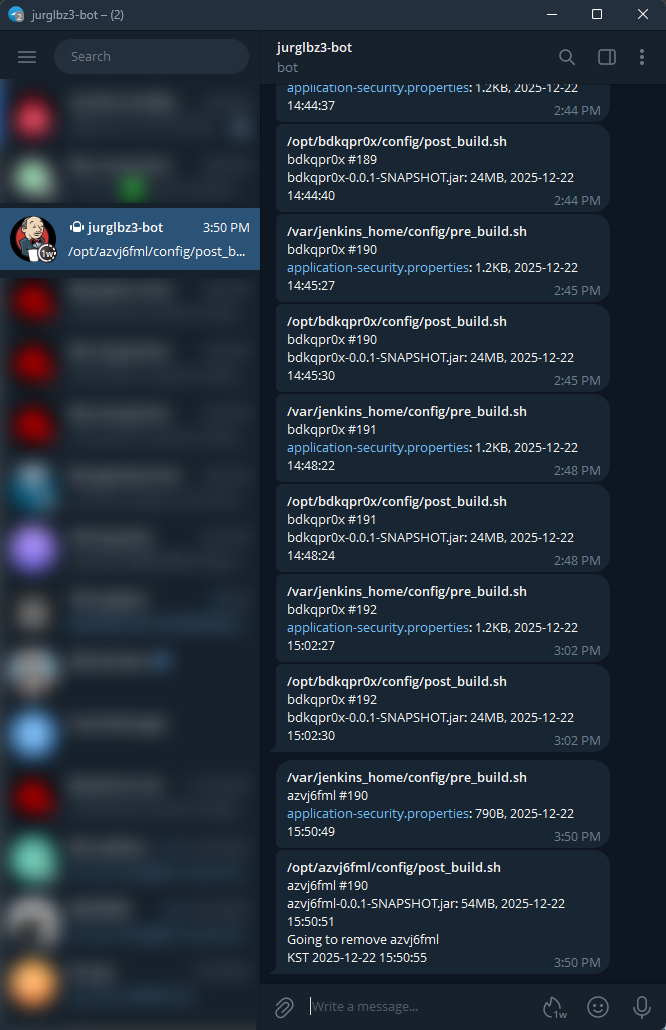
telegram
License
상업적 이용 제한 없음
- MIT 1
Troubleshooting
열약한 기기에서 설치 도중 멈춤
메모리 부족일 때 그렇다고 한다. 환경 변수 JAVA_OPTS=-Xmx1g 추가 (docker-compose.yml)
src 수정없이 security properties만 수정하면 jar 미반영됨
src 수정 후 rebuild 되는 것 확인할 것
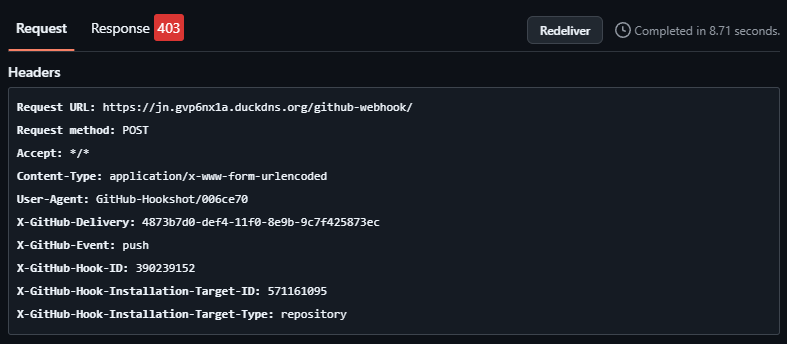
proxy에서 국외 ip 차단 시 webhook 차단됨
tail -f /opt/nginx/log/jenkins_access.log;
tail -f /opt/nginx/log/jenkins_error.log